RustMIDI songs are standard MIDI files, so they aren't just for Rust. Here's how to bring them into other games like Minecraft and Tower Unite.
Use songs from the Solo Pack. They're arranged as one instrument at a time, which turns into clean note block layouts. Full band songs pile many parts and drums onto note blocks and usually sound cluttered.
Get the free download from the official site. It's built for Windows. macOS and Linux versions are in beta.
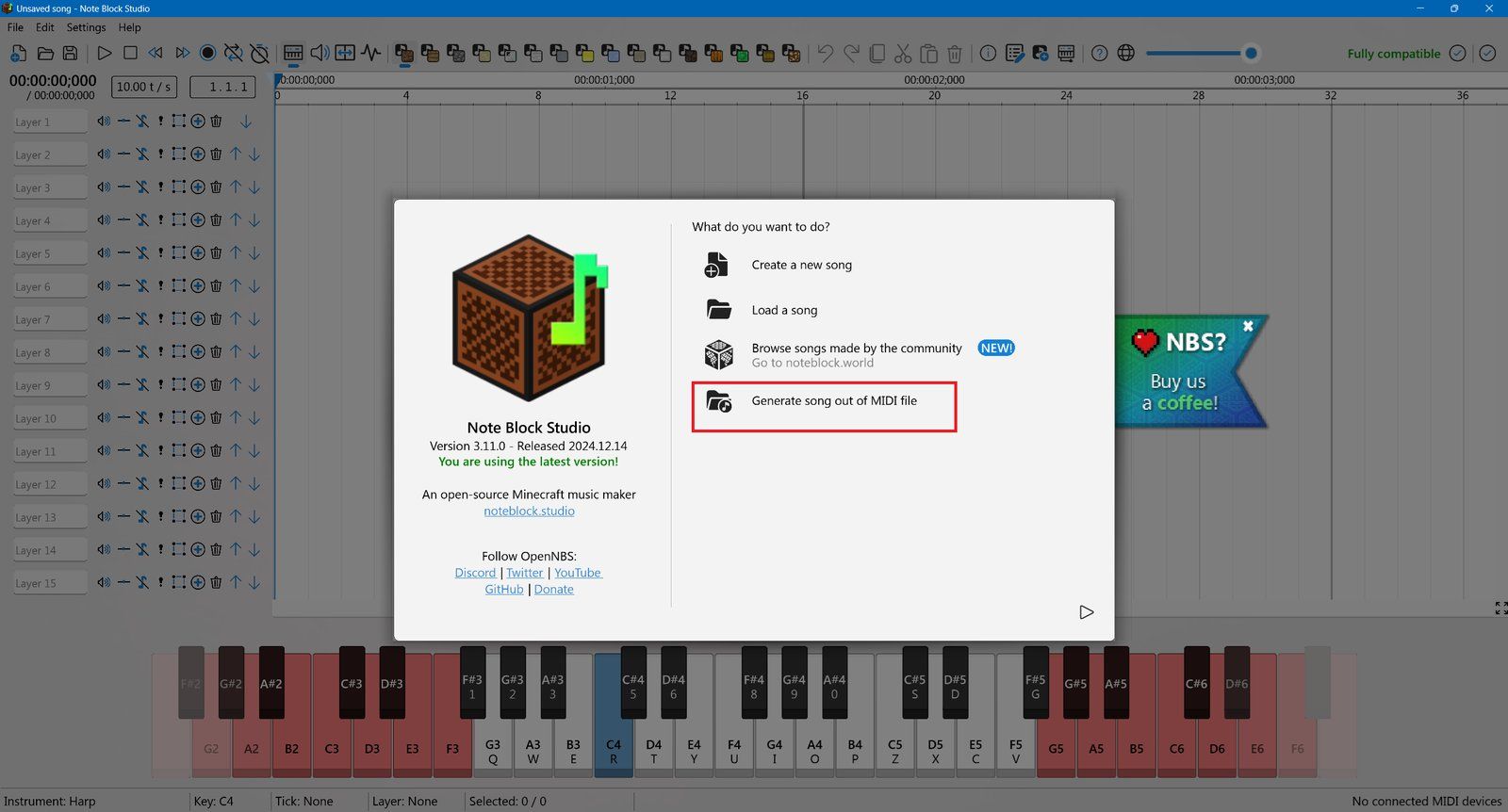
Open Note Block Studio. On the start screen, choose Generate song out of MIDI file and pick a song from your pack. It converts the notes onto note block layers and picks the closest Minecraft instrument sounds.
Mute or delete any layers you don't want, and adjust the tempo if needed. Fewer layers make a smaller, cleaner build.
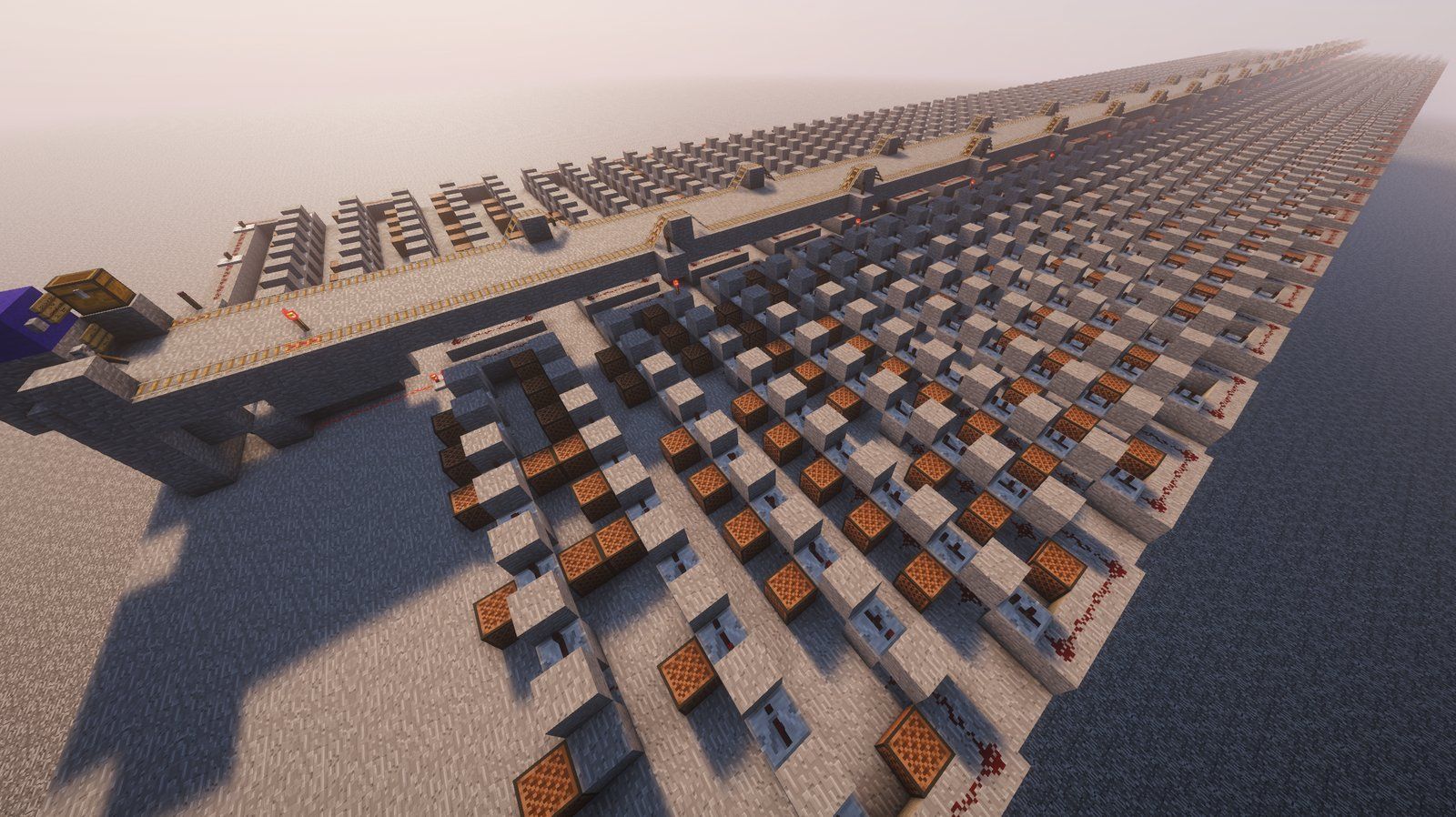
Export the song as a .schematic. Note Block Studio generates the full note block and redstone layout that plays the song. You can also export a data pack, which plays the song in-game without building anything.
Copy the file into your WorldEdit schematics folder, then load and paste it in-game:
//schem load yoursong//pastePower the start of the redstone line with a button or lever, and the whole song plays from your note blocks.
Tower Unite has three piano-style instruments. They all play the same way with the same number of keys. Each just has its own look and sound.
The classic concert grand. The go-to choice for Solo Pack songs.
SongbirdsA modern digital keyboard. Same controls, with its own sound banks.
SongbirdsA big pipe organ. Same keys as the pianos, with a dramatic organ sound.
Songbirds · CelebrationsYou can change each instrument's sound bank in its Instrument Settings.
This is the same setup as Method 01 in our MIDI tutorial: loopMIDI creates a virtual MIDI port, and MIDI Player sends the song through it into the game. If you've already set it up for Rust, you're done.
Sit at your piano and open Instrument Settings. Under MIDI Input › Device Selection, tick the port you made in loopMIDI (here it's named rust). From then on, MIDI Player sends the song through that port and the piano plays it, just like in Rust.
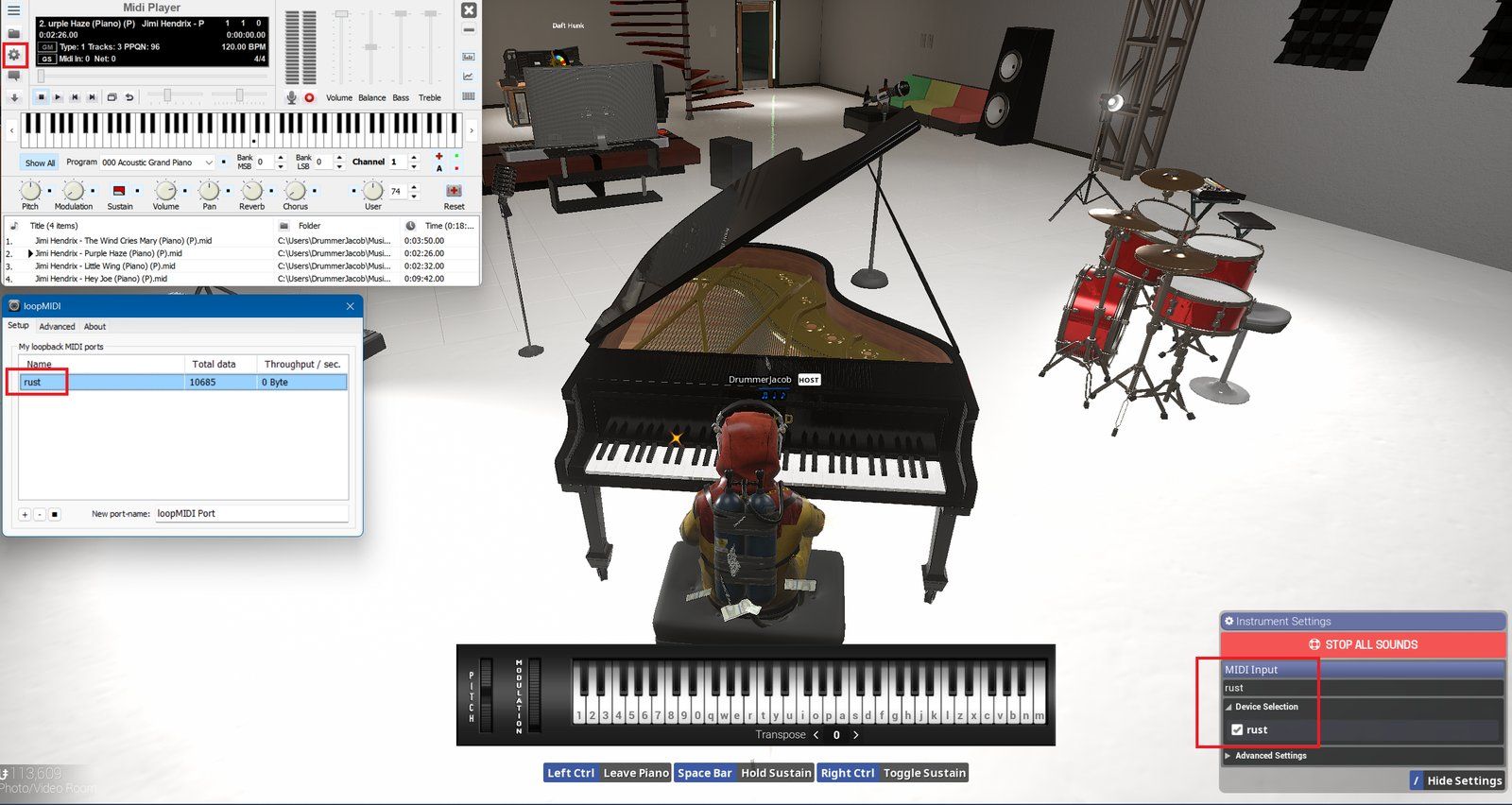
Start the song in MIDI Player and the piano plays it in-game. The sound comes from Tower Unite's own piano, so everyone nearby hears it.
You can also play the pianos live with your computer keyboard. Keys run left to right across the number row and letters. Hold Shift for the black keys.
The Drumset (sold at Songbirds) plays with your keyboard too: Space kicks the bass drum, B clicks the sticks together, and the drums are on these keys, left to right:
To play a song's drums through MIDI, use the same loopMIDI setup and pick your port in the drumset's Instrument Settings. While a song plays, the advanced part of the settings lists the instruments in that song, so you can choose what the drums follow. Drum parts in MIDI files are almost always on channel 10.
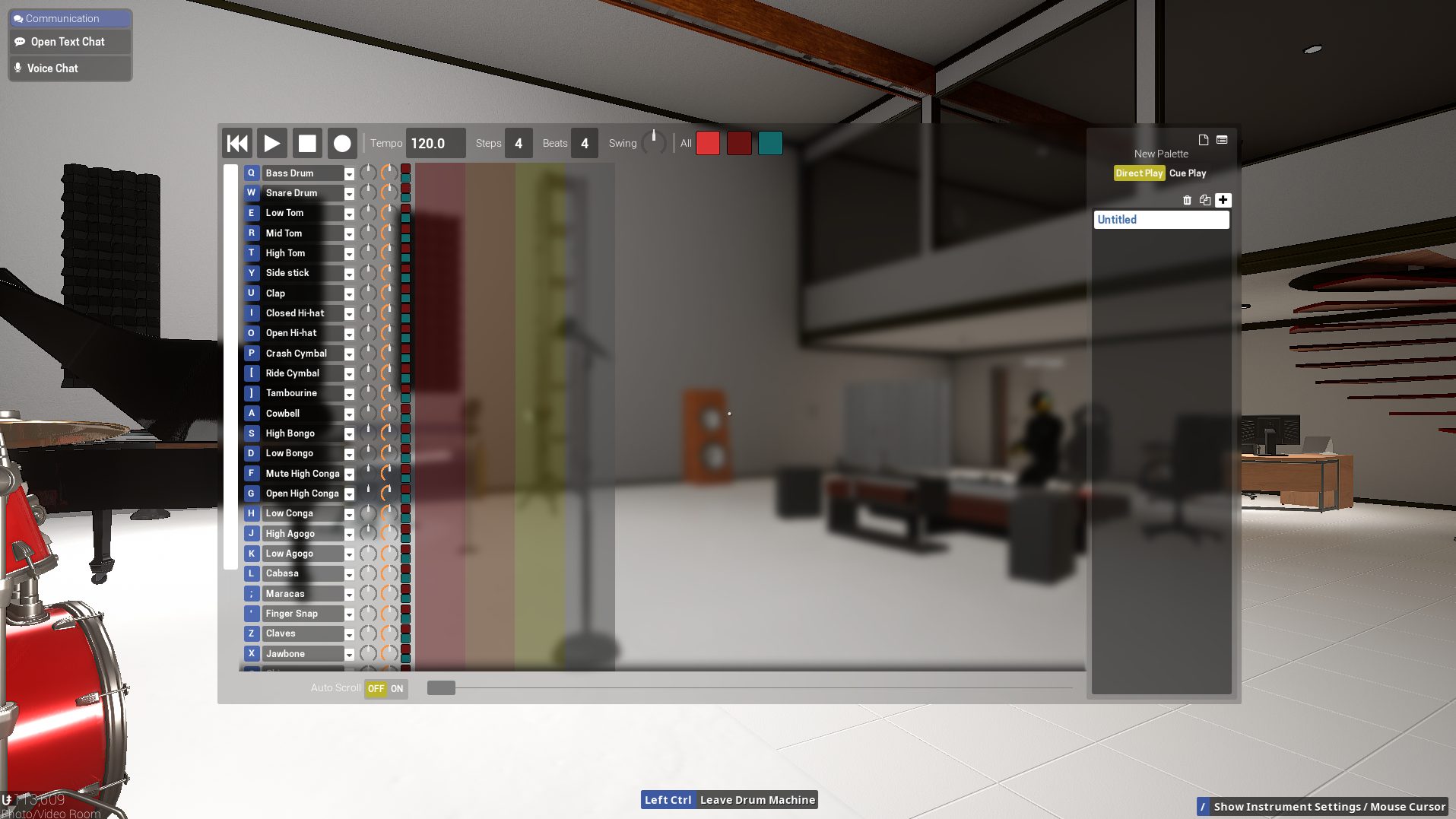
The Drum Machine (bought with Tickets at The Asteroid Belt) is a beat sequencer: set the Tempo, Steps, Beats and Swing, then build patterns and save them as palettes. Every sound has its own key, so you can also play it live: Q Bass Drum, W Snare, E R T Toms, I O Hi-hats, P Crash, [ Ride, and more down the keyboard, from claps and cowbell to congas, bongos and maracas. Each sound also has its own menu and knobs for fine-tuning.
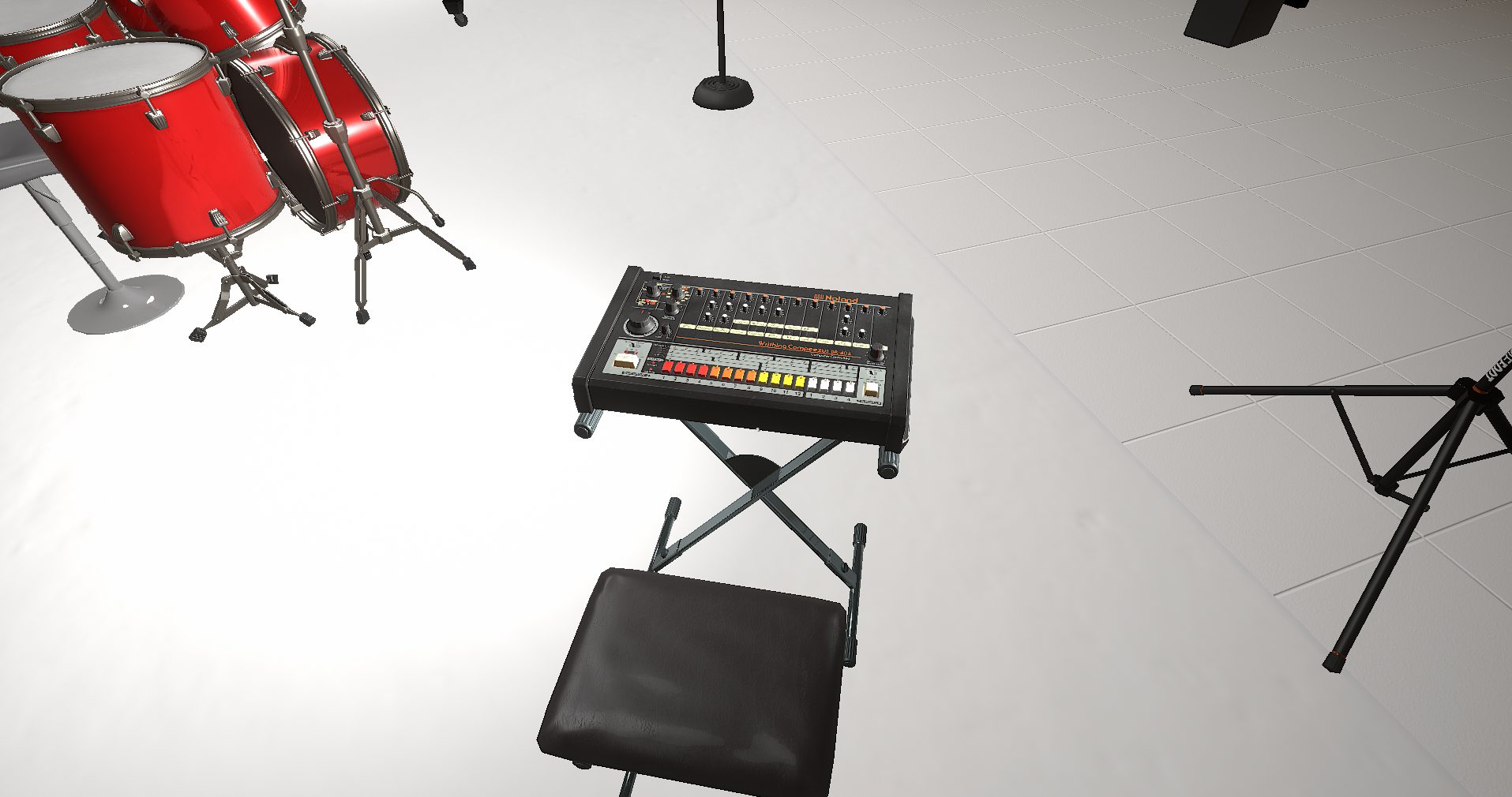
Drums from a DAW or a real kit: send a drum track from your DAW (FL Studio, Ableton, Reaper…) through a loopMIDI port, or plug in an electronic drum kit or pad controller, then choose it under MIDI Input › Device Selection in Instrument Settings. Program your beat in the DAW and the in-game drums play it, so everyone in the condo hears it.
Tower Unite also has guitars (Electric, Bass, Retro and the Catsack Guitar) with a notes mode and a chords mode, plus a MIDI Maestro item that plays several instruments at once.
The Solo Pack plays in Rust, Tower Unite and Minecraft.